
How To Mine Boolberry (BBR) With AMD & Nvidia GPU
As an Amazon Associate I earn from qualifying purchases.

Boolberry is a cryptocurrency based on Cryptonote technology!
Bitcointalk official thread: https://bitcointalk.org/index.php?topic=1611499.0
Reddit: https://www.reddit.com/r/boolberry/
Twitter: https://twitter.com/BBRcurrency
In this post i am going to show you how to pool mine Boolberyy (BBR) / (XBB) with AMD or nVidia GPUs. I am using Sapphire Nitro+ RX 470 4GB OC (modded bios)
Here is my rig hardware configuration that can be used to create a Boolberry mining rig!
How to mine Boolberry (BBR)
A Exchange & GUI Wallet- Currently suprnova cannot send payments to exchange website, you will have to install Boolberry GUI wallet from here http://boolberry.com/downloads.html
- You can also create a wallet key to https://poloniex.com, but it can be added later on suprnova!


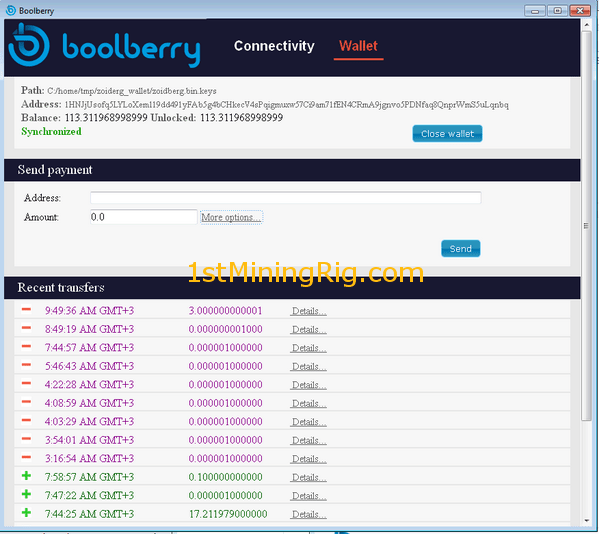
- Create an account with https://bbr.suprnova.cc/ if you don’t have one
- When logged in go to “My account – > My workers” and create a worker
- Go to “Edit Account” and add your wallet key


- Download the miner from here: https://github.com/mbkuperman/cpuminer-multi-opencl/releases
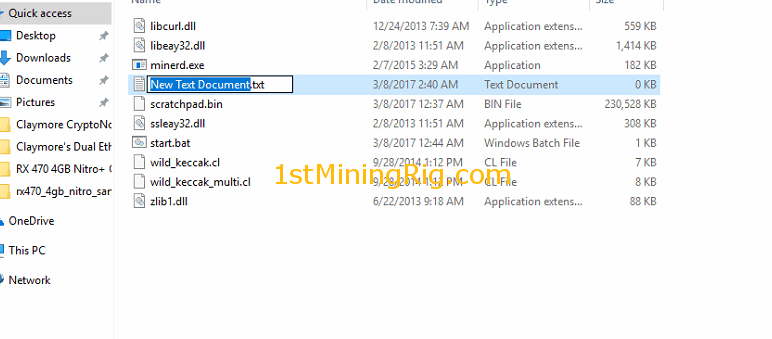
- Extract the archive in a separated folder
- Download scratchpad.bin from here https://bbr.suprnova.cc/scratchpad.bin and place it in the folder where you extracted the miner
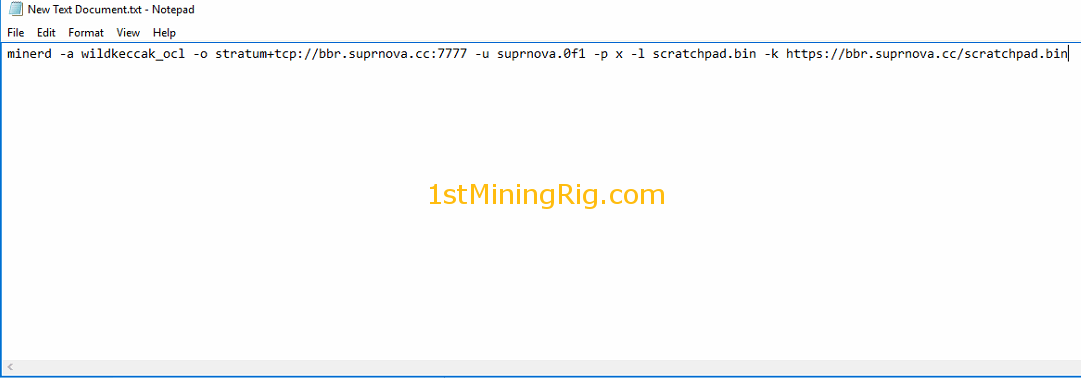
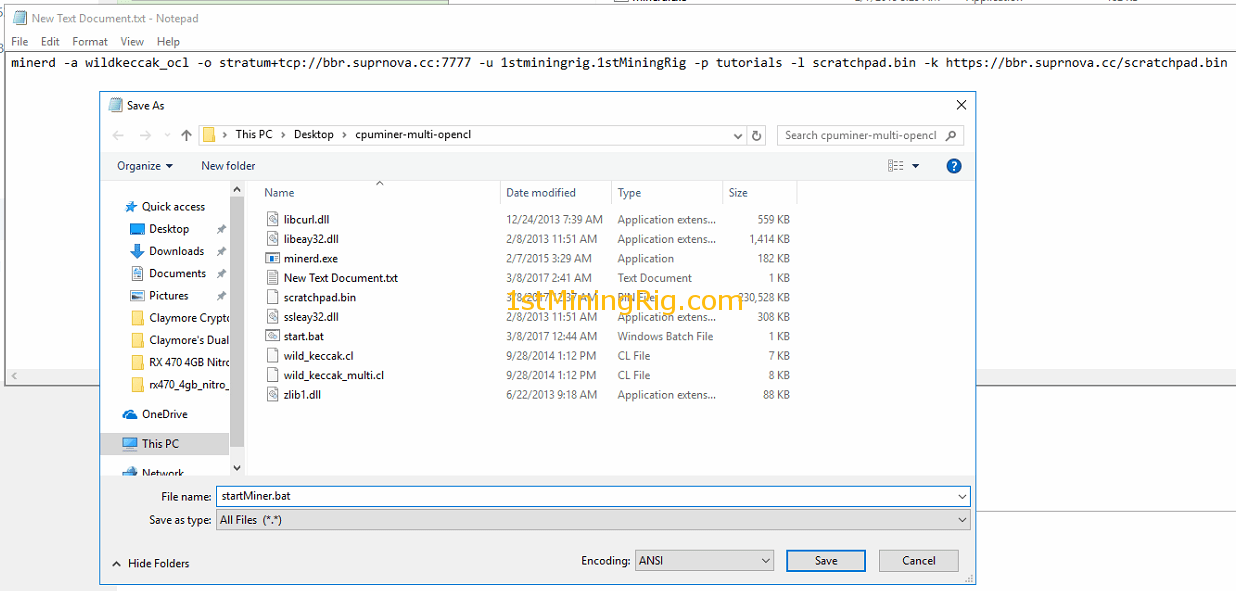
- Create a new text document and paste the following: minerd -a wildkeccak_ocl -o stratum+tcp://bbr.suprnova.cc:7777 -u suprnova_username.worker_name -p worker_password -l scratchpad.bin -k https://bbr.suprnova.cc/scratchpad.bin, remember to add your suprnova username, worker and password
- Save the file as .bat file and give it a name like startminer.bat
- That’s it, start the miner, wait a few moments and it should start mining!
I was able to hash with 1,450 kh/s per card but i think i can get much more than that. So with a rig of 6x Sapphire Nitro+ RX 470 4GB OC i will get around 8,700 kh/s.


download ready made .bat file, share to unlock!
[sociallocker]https://mega.nz/#!58pyXRQL!QF3ID6w5jd0XILwq8aL8r7u7UMjvGf3ZC6J9JRx9r7E[/sociallocker]Have fun!
Thank you for reading!
As always, your comments, questions, and suggestions are welcome. I'd love to hear about your own experiences!
Stay connected and follow 1stMiningRig for future updates.


